Capture text through the camera
Live OCR displays recognized text while the camera is aimed at a page. It is useful when you need the words quickly without first creating and opening a full PDF.
Turn paper into useful text
Capture text live, recognize existing documents, create searchable PDF copies and move editable content into Word without sending the page to a server.

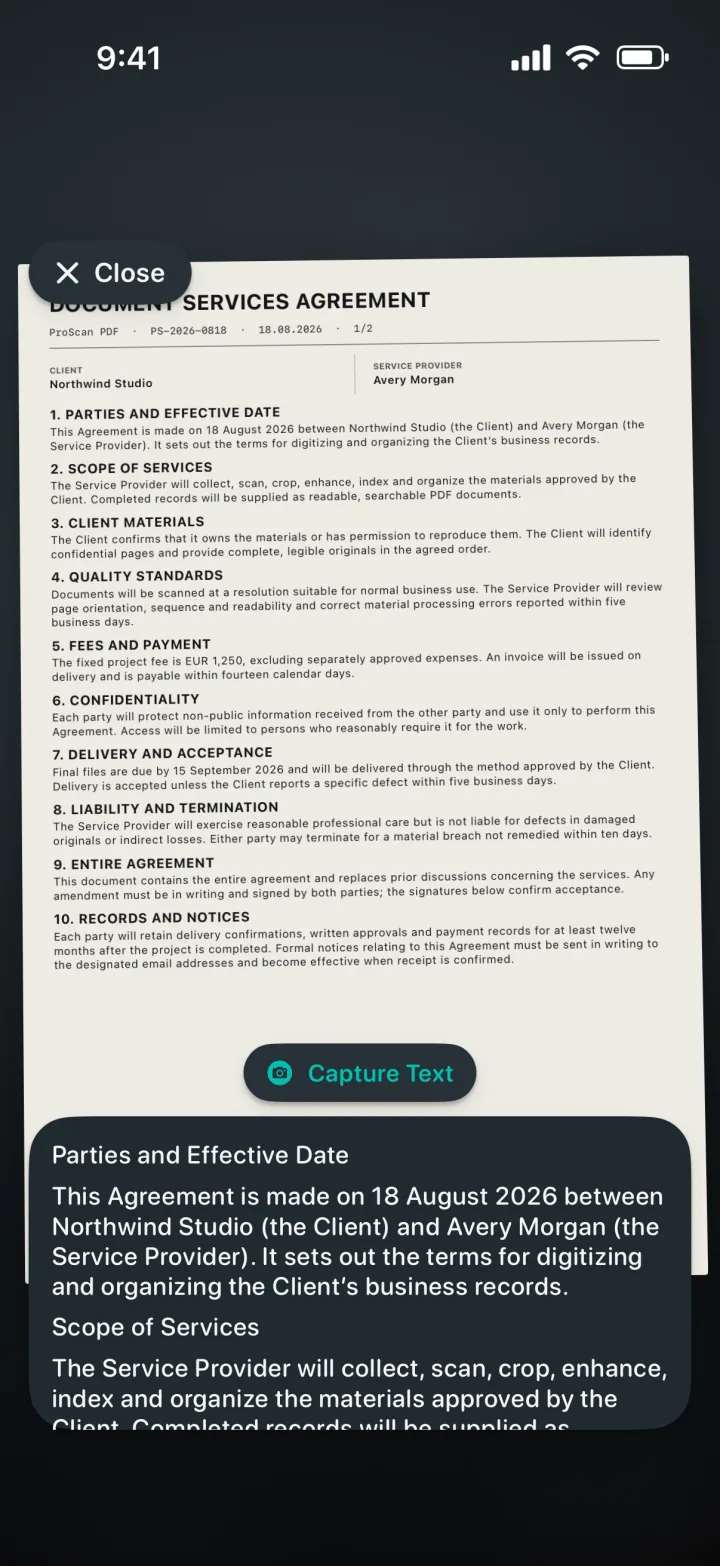
Live OCR displays recognized text while the camera is aimed at a page. It is useful when you need the words quickly without first creating and opening a full PDF.
Search PDF creates a new searchable copy. Open that copy in the app’s PDF viewer and use its search control to find recognized words across the document.
Extract document text for copying or generate an editable Word document with layout-aware positioning where the page structure allows it.
A clear three-step workflow
ProScan PDF keeps the action, confirmation and saved file inside one focused workflow.
Use Live OCR from Home when the paper is in front of you, or choose Search PDF, PDF to Word or the OCR action for a document that is already in My Files.
Apple Vision technology analyzes the page on your device. Clear print, good lighting, a straight page and sufficient image resolution improve recognition quality.
Copy editable text, save a text result, create a searchable PDF for in-app lookup or generate a Word file when the content needs further editing.
Built for practical documents
A searchable PDF keeps the familiar page appearance while adding recognized text information. That makes archived scans easier to find without replacing the original visual page with a plain text document.
Not every text task needs a PDF. Live OCR provides a faster route when you simply need to capture a paragraph, address, reference number or other printed content from the camera view.
Recognition is performed with on-device frameworks. ProScan PDF does not upload the scanned document to its own OCR server, which keeps sensitive notes, receipts and paperwork within your Apple device workflow.
Questions, answered
Practical details about how this feature works in ProScan PDF.
Open the searchable copy in ProScan PDF’s viewer and use the search control to find recognized words.
Yes. Live OCR recognizes text directly from the camera view.
Yes. PDF to Word uses recognized text and preserves layout where possible.
No. The recognition workflow runs locally on your iPhone or iPad.
Continue the workflow

Your next document is one tap away
No ads. No watermarks.